
Sukanta Saha
Published Mar 27, 2026
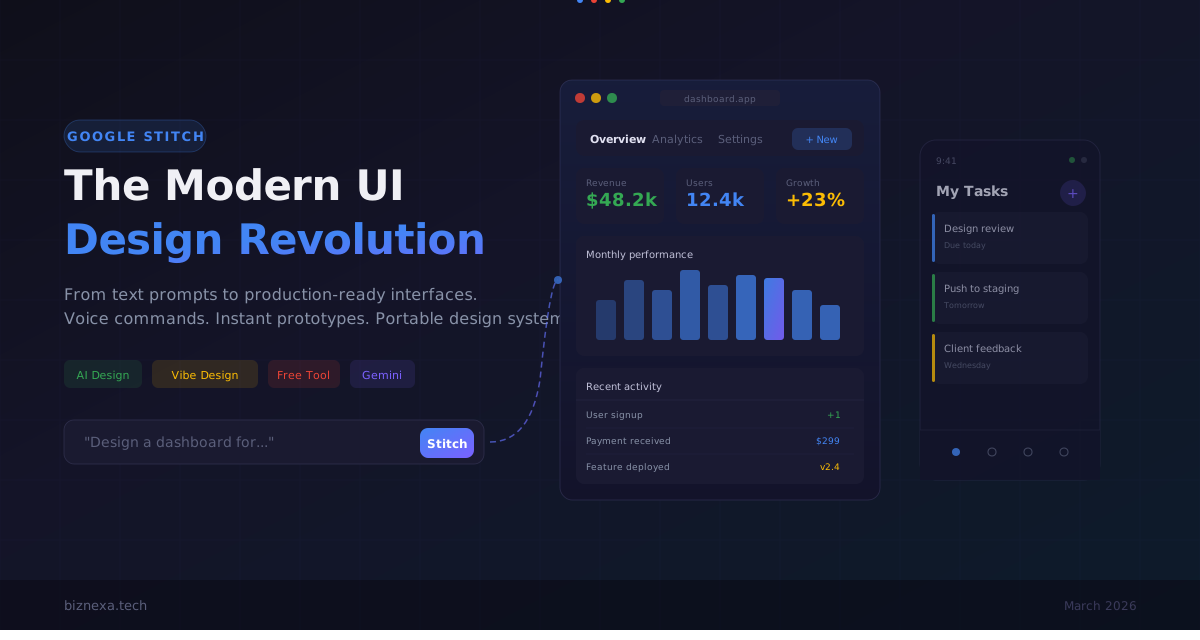
Google Stitch Just Changed How We Design UIs — Here's What Actually Matters Ten months ago, Google showed off a tool called Stitch at I/O 2025. It could take a text prompt and spit out a UI mockup. Neat demo, mild applause, everyone moved on. Then something happened. People actually started using it. Designers, developers, product managers, solo founders with zero design skills. The feedback piled up, Google listened, and on March 19, 2026, they released an update that turned a tech demo into something worth rethinking your workflow around. I've been spending time with the new version, and I want to walk through what's changed, what works, what still falls short, and who should actually care. What Stitch Actually Is Now The original Stitch was a single-screen generator. You typed a description, it gave you a layout. Useful for quick mockups, but limited. The March 2026 version is a different product. Google rebuilt it around what they call an "AI-native infinite canvas" — basically a workspace where you can throw in images, text, code snippets, and voice commands, and the AI agent processes all of it as context for your design. Powered by Gemini models (2.5 Flash for speed, 2.5 Pro for fidelity, and Gemini 3 for the best contextual understanding), Stitch now generates up to five interconnected screens at once. You can describe an entire app flow in plain English and get back a clickable prototype in minutes. It's free. No subscriptions, no credit card. 550 generations a month — 350 in standard mode, 200 in the higher-fidelity pro mode. Google will probably introduce paid plans by late 2026, but right now the whole thing costs nothing. Five Features That Actually Matter
- Voice Canvas This is the one that surprised me. You click the microphone icon and just talk. "Make the hero section feel more energetic. Bigger headline. Add a product screenshot next to the CTA." Stitch processes it and updates in real time. It also gives design critiques when you ask. Say "what's wrong with this layout?" and it'll point out issues. It's not always right, and it tends toward generic advice, but as a rubber duck for design decisions, it's faster than typing follow-up prompts. The voice system handles multiple requests at once, which means you can layer commands without waiting. That's the difference between a gimmick and a tool you'd actually use during a working session.
- Vibe Design This is Google's term for describing a feeling instead of specifying components. Instead of "create a dashboard with a sidebar, header, and kanban board," you say something like "I want a project management tool that feels calm and organized, aimed at small creative teams." Stitch then generates several design directions that match that vibe. You pick one, refine it, keep going. The idea is that you explore ten directions in the time it takes to wireframe one. I'm mixed on this. When it works, it genuinely surfaces ideas I wouldn't have reached on my own. When it doesn't, you get bland, corporate-looking screens that could be for any SaaS product ever made. The quality depends heavily on how specific your prompt is, which kind of defeats the purpose of "vibe" over precision.
- Instant Prototyping This one is straightforward and useful. You connect screens together, hit Play, and click through an interactive prototype. Stitch can also auto-generate the next logical screen based on where you click — tap the "Sign Up" button and it builds the confirmation page. For client presentations, user testing, or just validating whether a flow makes sense before you commit to building it, this saves real time. The transitions are basic, but functional.
- DESIGN.md and Design System Import This might be the most significant feature for anyone working across projects. DESIGN.md is a markdown file that captures your design rules — colors, typography, spacing, component patterns — in a format that both humans and AI agents can read. You can extract a design system from any URL, export it from one Stitch project, and import it into another. Or pass it to a coding tool like AI Studio or Antigravity so your developers are working from the same rules. The practical impact: you design something once, and the rules follow you everywhere. For agencies and freelancers juggling multiple client projects, this solves a real consistency problem.
- MCP Server and Developer Pipeline Stitch now ships with a Model Context Protocol server and SDK. In non-jargon terms: you can connect it to coding tools like Gemini CLI, Claude Code, Cursor, or Google's own Antigravity. This means your design doesn't have to live in Stitch forever. It can flow into your development environment with the context intact. The Stitch Skills library on GitHub has already picked up over 2,400 stars, which tells you developers are paying attention. For the design-to-code pipeline, this is where Stitch starts looking less like a prototyping tool and more like a node in a larger workflow. Where It Falls Short I don't want to oversell this. Stitch has real limitations. The generated designs are inconsistent. Components don't always align. Colors sometimes drift from what you specified. Complex multi-screen flows need manual cleanup before they're presentable to anyone with design standards. The March update added direct editing — you can click text elements and rewrite them, swap images, tweak spacing — but you'll use that feature more than you'd expect. Image input is still unreliable. Despite claiming to support sketch uploads, the results vary wildly. Hand-drawn wireframes sometimes get interpreted correctly, sometimes get ignored entirely. If you're counting on the image-to-UI pipeline, test it before you promise a client anything. There's no backend logic. Stitch generates frontend code — HTML, CSS, and some component structure. It won't build your API, handle state management, or connect to a database. It's a design and prototyping tool, not a full app builder. And the big one: design system management at scale is still Figma's territory. Stitch can import and export design rules, but it doesn't have the collaboration depth, version control maturity, or plugin ecosystem that large teams depend on. Who Should Actually Use This Developers who need UI mockups but don't want to learn Figma. Stitch generates code you can work with, and the export pipeline means you're not stuck in another design tool. Product managers who need to show, not tell. Instead of writing a feature spec and hoping everyone imagines the same thing, generate a clickable prototype in Stitch and share it. The voice canvas is particularly good here — you can talk through a product vision and watch it take shape. Founders and solo builders who need to validate ideas fast. Go from concept to interactive prototype in an afternoon. Test it with users, iterate, and figure out if the idea has legs before you hire a designer or write production code. Designers who want to speed up early exploration. Stitch isn't replacing your Figma workflow for production design. But for the first hour of a project — when you're trying to get past the blank canvas and explore directions — it's genuinely faster than starting from scratch. What This Means for UI Design Going Forward Figma's stock dropped over 4% when the March update launched. That reaction feels premature — Figma is still the better tool for production design work — but it tells you something about where people think the industry is heading. The shift isn't from "manual tools" to "AI tools." It's from designing interfaces to briefing agents. In traditional tools, every input is a precise action: draw this box, set this color, align these layers. In Stitch, the input is intent. You describe what you want, and the AI interprets it. That's a different skill set. Knowing how to prompt effectively, how to evaluate generated output, how to steer an AI agent toward the result you want — these are becoming design skills as real as knowing how to kern type or balance a layout. The DESIGN.md format is worth watching closely. A design system that travels between tools as a readable markdown file, understood by both humans and AI agents, is a fundamentally different object than a Figma library with documentation. If your design system can't be read by a machine in 2026, it's already behind. Try It While It's Free Google Stitch is at stitch.withgoogle.com. No signup beyond a Google account. The 550 monthly generations are generous, and they'll almost certainly shrink when paid plans arrive. My advice: don't try to replace your existing tools with it. Use it for what it's best at — getting from nothing to something, fast. Explore ideas you wouldn't have time to mock up manually. Feed it weird prompts and see what comes back. That's where the value is right now. The tool will get better. The question for designers and developers isn't whether AI design tools will matter. It's whether you'll have spent enough time with them to know how to use them well when they do.
Sukanta Saha
Chief Digital Architect
Pioneering digital excellence through innovative web solutions and intelligent automation for growing enterprises.


